Hi - Dave here.
Happy Friday!
In my last email, I covered the bugs in Excel's DATEDIF function, used to calculate the time between two dates.
DATEDIF generates accurate results in
most situations, but there are several edge cases where it silently fails.
Although you can carefully work around these problems, tracking each issue is tricky and time-consuming because the problems can be subtle. I think a better solution is to replace DATEDIF altogether with a more reliable formula.
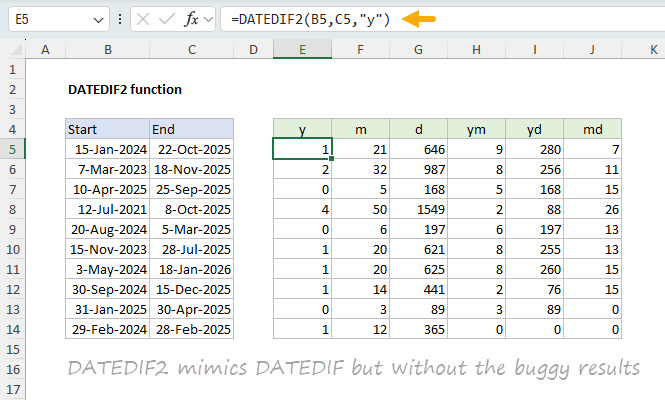
That's exactly what I've done in the worksheet below, which features a custom function called DATEDIF2:
[
Download the workbook and read the full explanation]
DATEDIF2 is a custom LAMBDA function that mimics the behavior of DATEDIF, but without the bugs. To test the function, I created a spreadsheet with 288 date pairs covering a range of tricky scenarios and calculated results with both DATEDIF and DATEDIF2. The DATEDIF2 formula passed all 1,728 individual checks. By comparison, DATEDIF failed 89 of those same checks. Click above for full details, then download the workbook to get all formulas.
Note: DATEDIF2 uses the LAMBDA function which is available in Excel 365 or Excel 2024.
Excel formulas
We maintain a list of over 1000 working formulas
here.
If you need more structure, we also offer
video training.
Have a great weekend!
Dave
The Exceljet newsletter is free and sent weekly on Fridays. Each week, I take a detailed look at a specific Excel formula or function. Sign up on our home page.